
Guide
Bitget sign-up & KYC guide
Create a Bitget account through TetherBase, find the identity-verification button, and complete KYC. Verified, referral-linked accounts are the only ones we can pay back.
Frequently asked
Step by step
- 01
Enter your email and a password
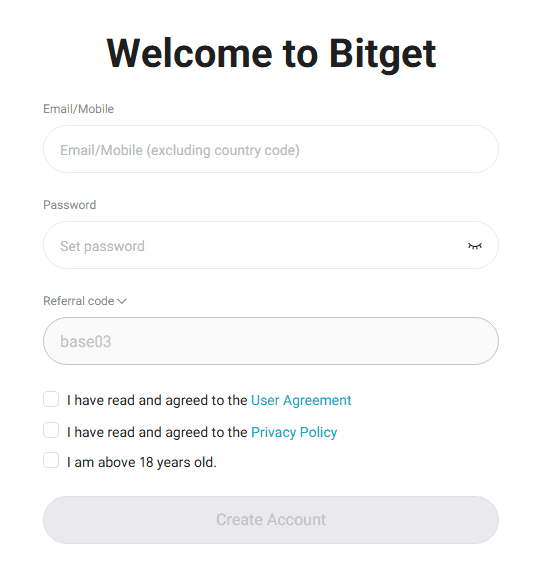
Type the email and password you want to use for the account, then tap “Create Account”.
- 02
Enter the email verification code
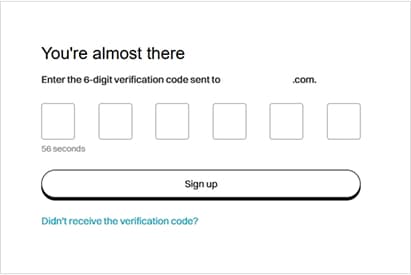
Enter the 6-digit code sent to your email.
You can resend the email after one minute.
- 03
Solve the picture captcha
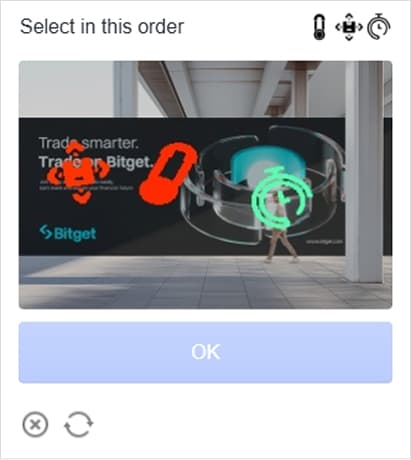
Tap the pictures in the order shown in the top-right corner, then tap “OK”.
- 04
Finish and install the app

After sign-up the screen moves on automatically. Install the Bitget app from the App Store or Google Play.
We recommend completing KYC after installing the app.