
Guide
Bybit sign-up & KYC guide
Create a Bybit account through TetherBase, find the identity-verification button, and complete KYC. Verified, referral-linked accounts are the only ones we can pay back.
Frequently asked
Step by step
- 01
Enter your email and a password
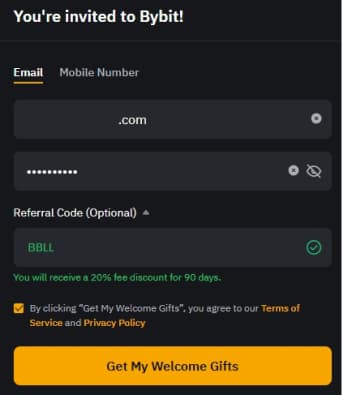
Type the email and password you want to use for the account, then tap “Get My Welcome Gifts”.
- 02
Enter the email verification code
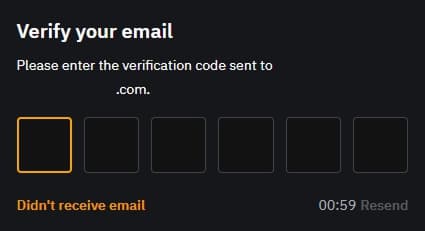
Enter the 6-digit code sent to your email.
You can resend the email after one minute.
- 03
Solve the captcha
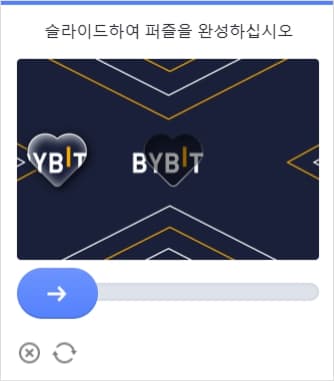
You may be asked to complete a captcha. Slide the puzzle piece into place.
- 04
Finish and install the app

Once the account is created, tap the orange button to install the Bybit app from the App Store or Google Play.
KYC is only available in the app.